“Create 3 short and simple multiple-choice questions (MCQs) for a customer review assistance tool.
These questions will be shown only to customers who have given a positive rating (4 or 5 stars).
The purpose of these questions is to collect helpful customer insights so that AI can generate a natural, positive, and personalized review suggestion.
Instructions #
- Generate exactly 3 MCQ questions
- Keep each question short, simple, and easy to understand
- Use simple English
- Questions should help understand:
- what the customer liked most
- their experience or satisfaction level
- why they would recommend the business
- Each question should have 4 answer options
- Options should be positive and review-friendly
- Do not include any negative or complaint-based options
- Questions should be relevant to the business type, service, or product
- Make the questions useful for generating a human-like review
- Keep the language suitable for any customer
- Question should be short and easy to understand
- Need SEO friendly content
- Make the tone professional and easy
Input Variables #
- Business Name: {business_name}
- Business Category: {business_category}
- Service Type: {service_type}
- Target Location: {location}
- Key Benefits / USP: {unique_points}
- Keywords
Output Format #
Generate the output in this format:
Q1: [Question]
- Option 1
- Option 2
- Option 3
- Option 4
Q2: [Question]
- Option 1
- Option 2
- Option 3
- Option 4
Q3: [Question]
- Option 1
- Option 2
- Option 3
- Option 4 “
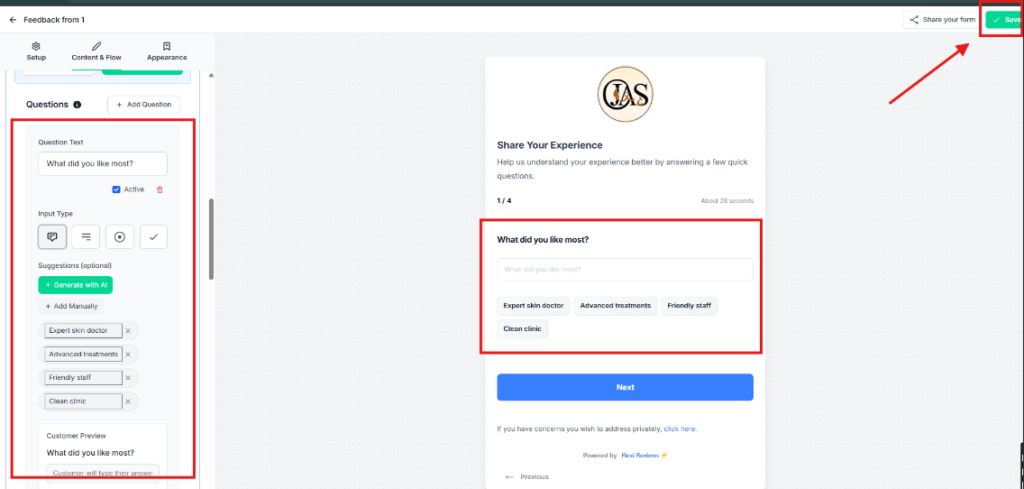
Now After putting quieting and option in this section you will see these in the form then click on save button and you can check this buy filling this form how the AI generating reviews with this.
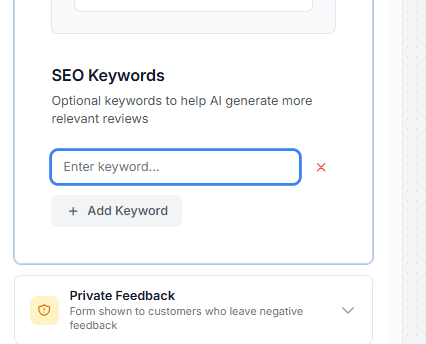
You can Add your keywords below these mcqs which help AI to generate more SEO friendly reviews for your brand.
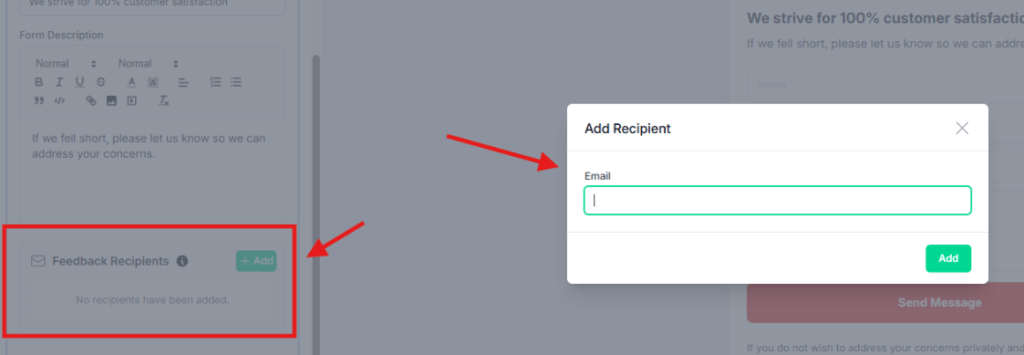
Now we setup private feedback form this will open when some one give below 4 star rating so those people will not forward to review section they will redirect to this from and this form details client will receive on there private email.
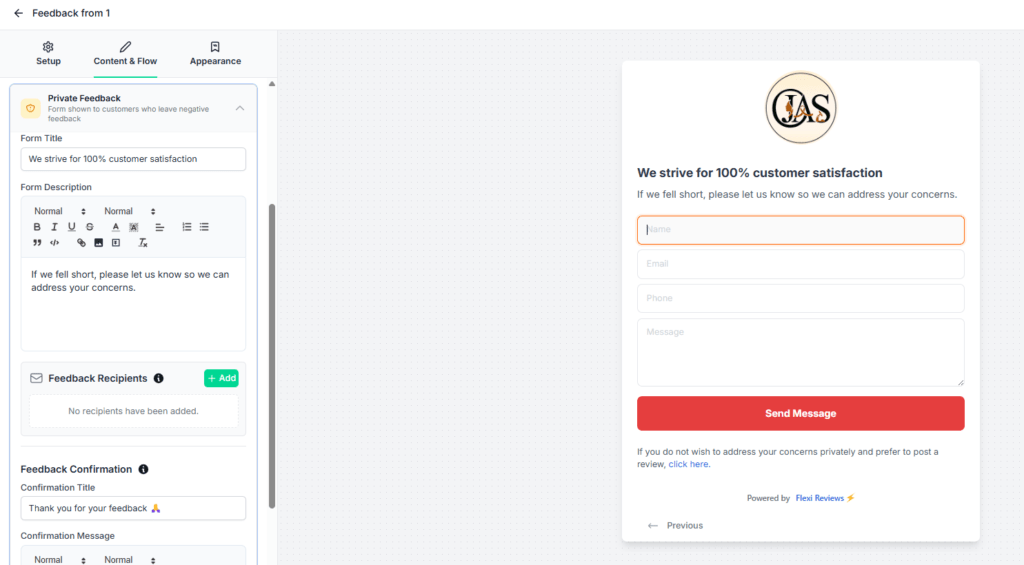
For adding recipient for this private feedback form click on add button and put email and add
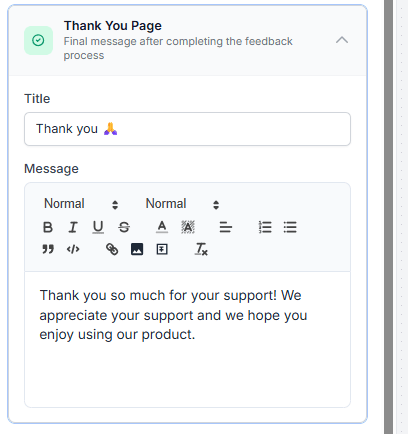
Then update or edit thankyou page content for this form
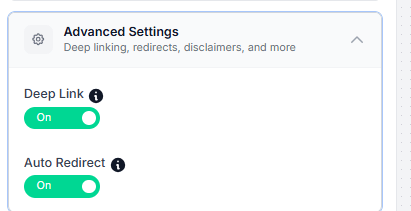
Then we go to Advance settings tab here we enable both 2 option and click on save
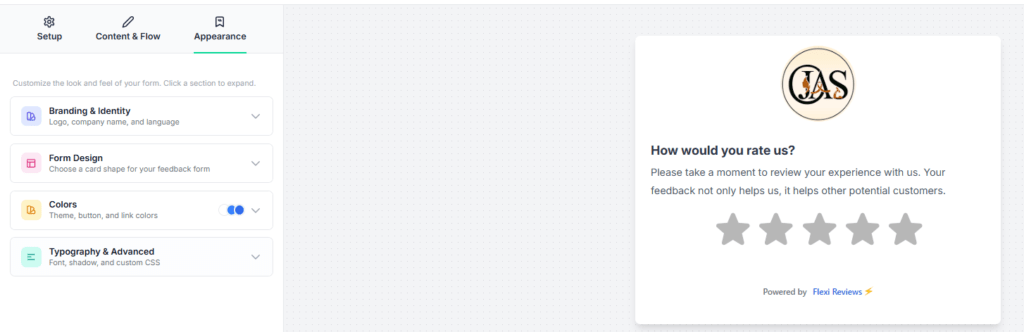
Now go to Appearance tab here we can edit or update design of this form we can change or update logo by clicking on Branding & lifestyle tab, and update form design by the form design tab and for colour update go to colour tab and for typography and front related changes go to Typography & Advance settings here you can write an CSS if you want more customization.then click on save button for saving your form changes.