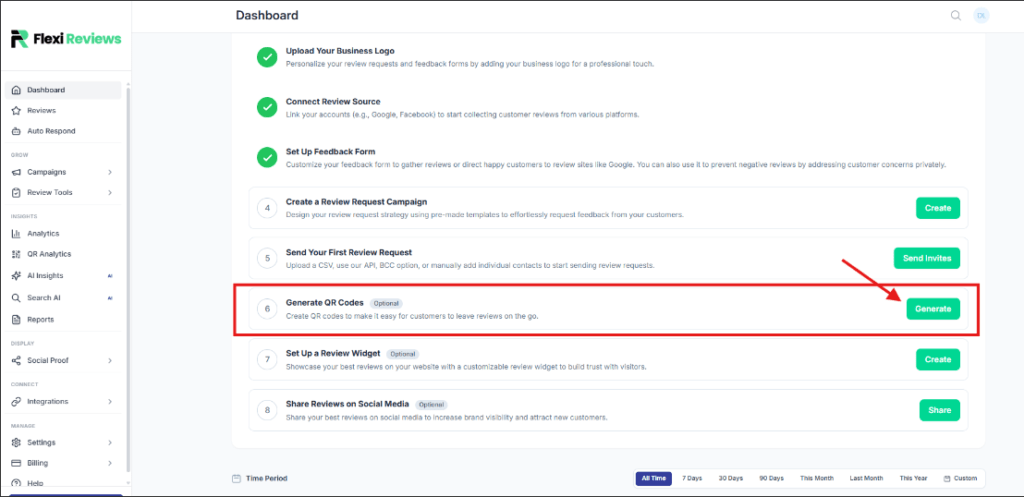
Now we generate QR code for taking reviews. So go dashboard here you will see Generate QR option click on create button.
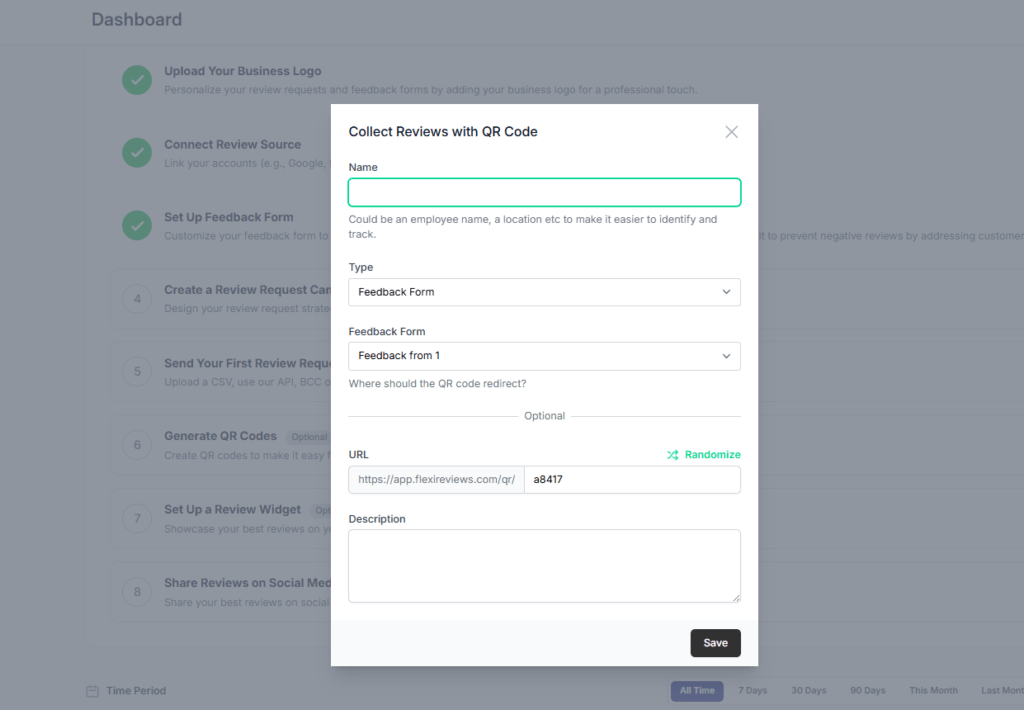
Now one popup will come here we give QR name select feedback form type and select form, and add url extension (optional) then click on save button.
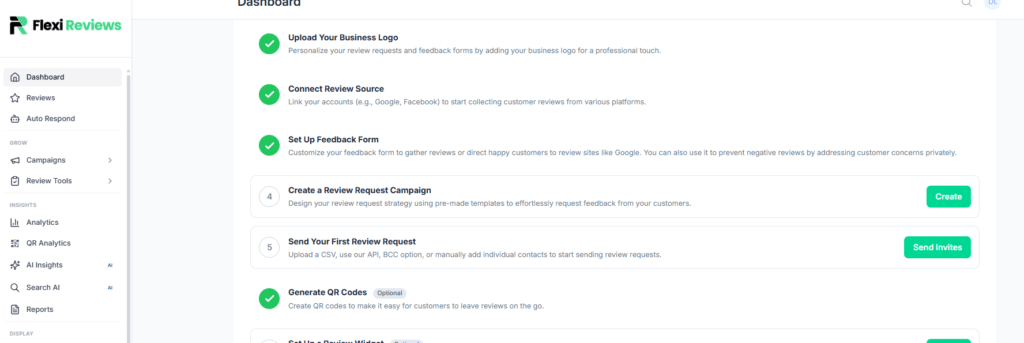
Refresh the page your qr is generated successfully.
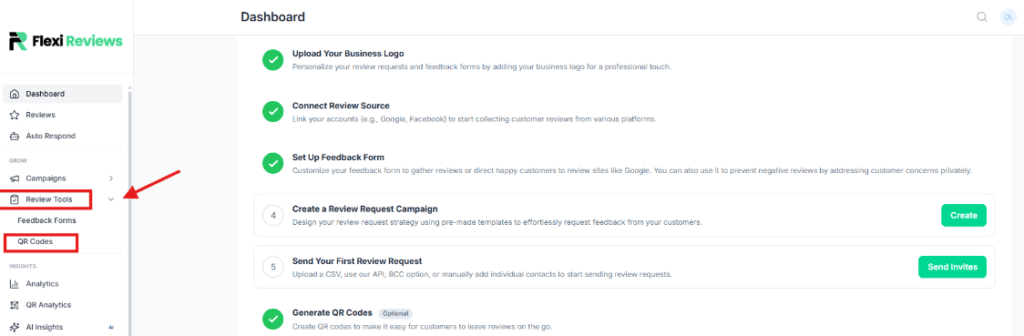
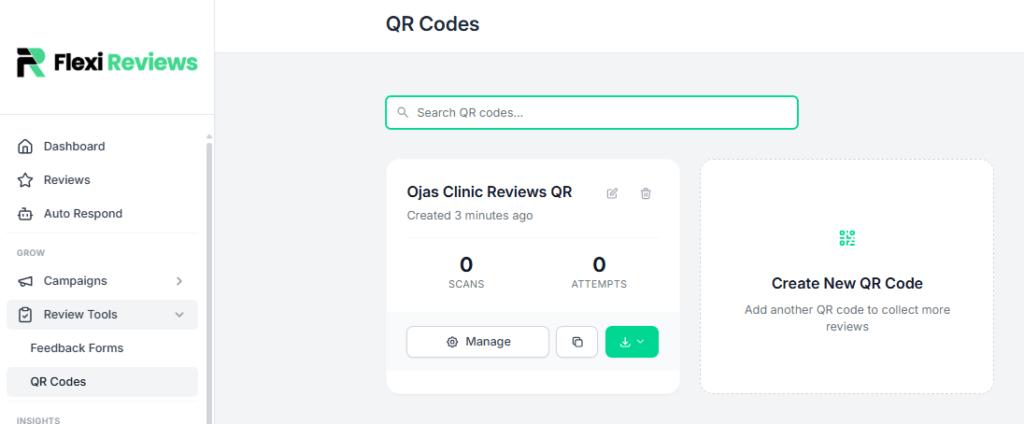
Now for edit or download QR, go to ‘Review tool’ tab here you can get ‘QR code’ option click it
Now you will redirect to this page here you can see your generated qr. By clicking on manage button you can edit and check there analytics of this qr code, or you can download it.
After clicking on manage button you will redirect to this analytics report page were you can track your QR how many time it scan or review takin
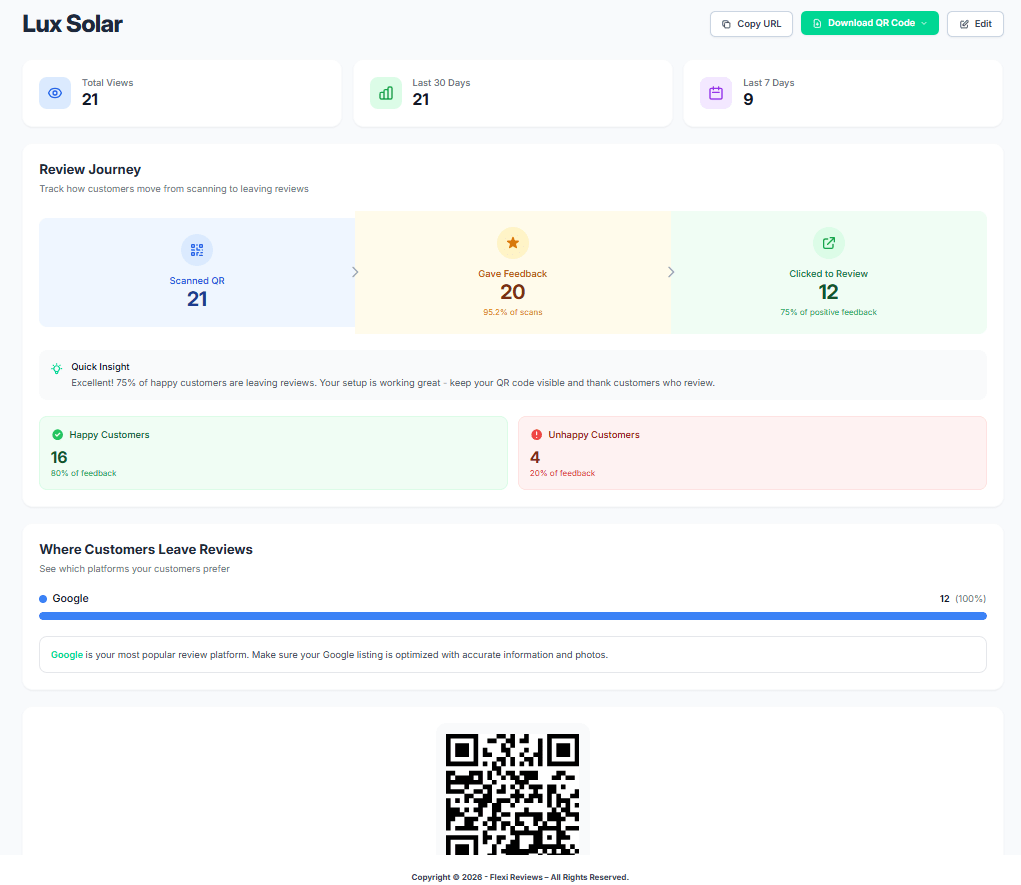
By clicking on green right site button you can download your QR, here you can also get multiple option for downloading so you can download
