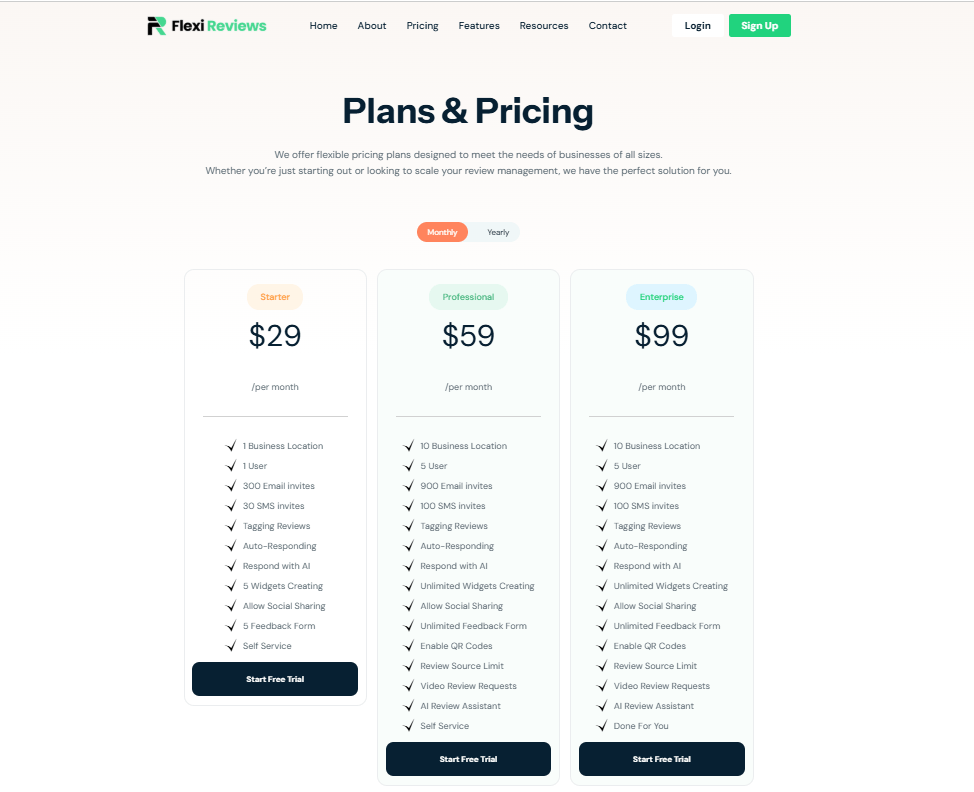
Step 1: Client Account Creation –
First Client will register themself on flexi reviews tool via selecting any plan from website which you can find on pricing page of website. When you click on any plan CTA you will redirect to login/signup page.
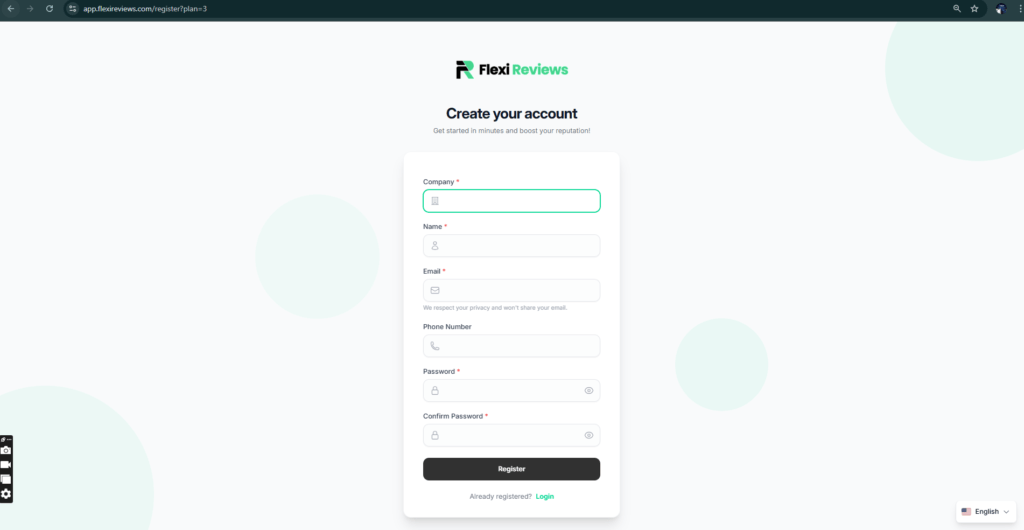
Then you will fill out form details such as Company name, Your name, email, phone, Password and confirm password and click on register.
Step 2: Client Account Setup-
After Registration you will redirect to flexi reviews dashboard here you see all settings
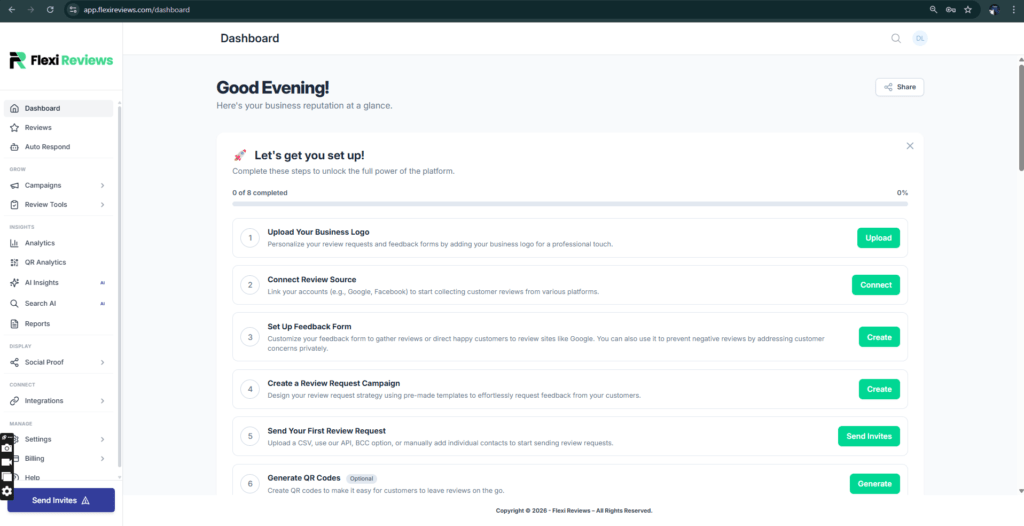
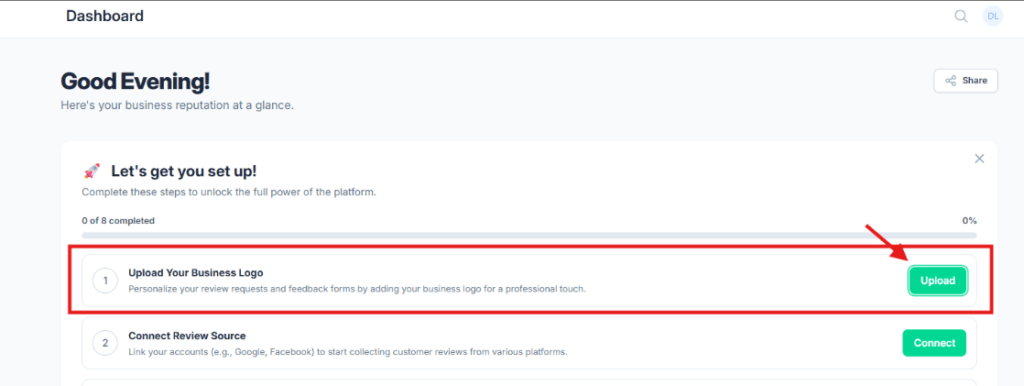
So first we will setup account, for this click on upload business logo
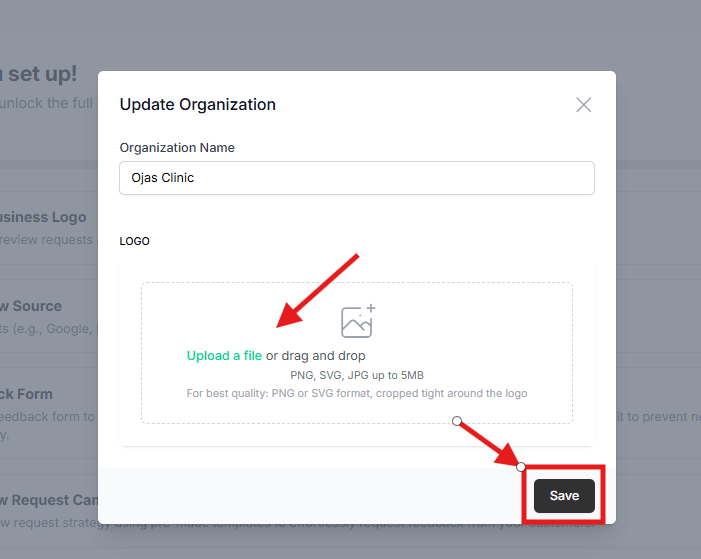
So one popup will open here you can upload your logo and click on save button
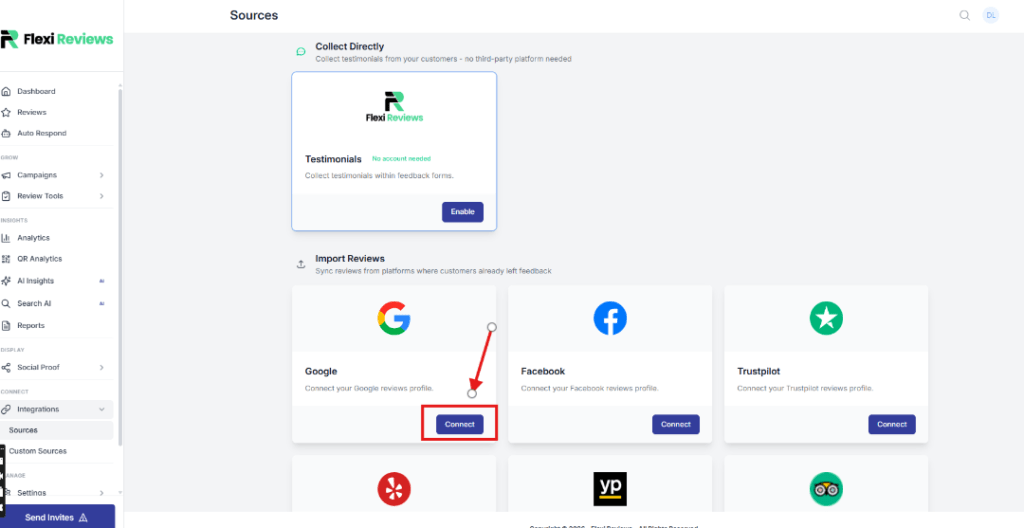
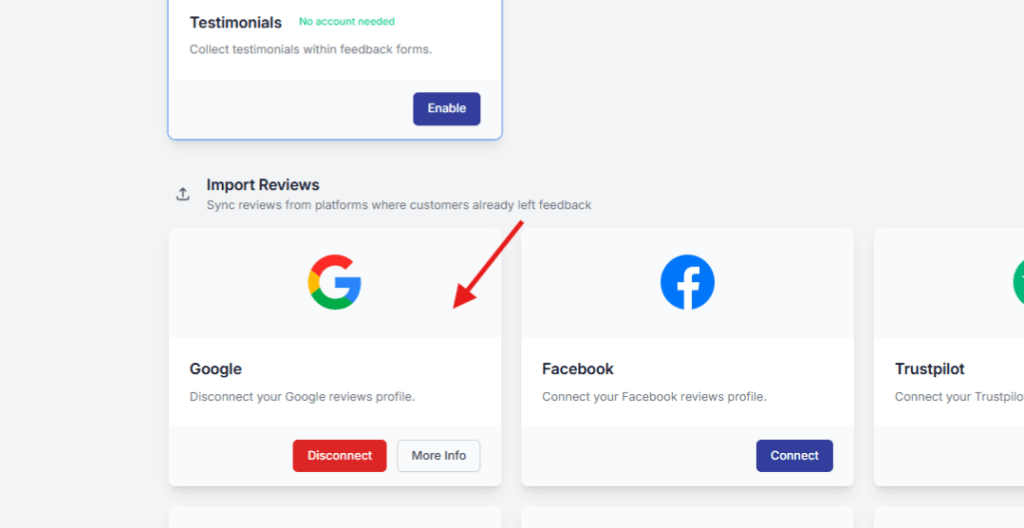
Now you will redirect to source page were you will find your review source, in our case we will connect google my business so i will click on google tab connect button.
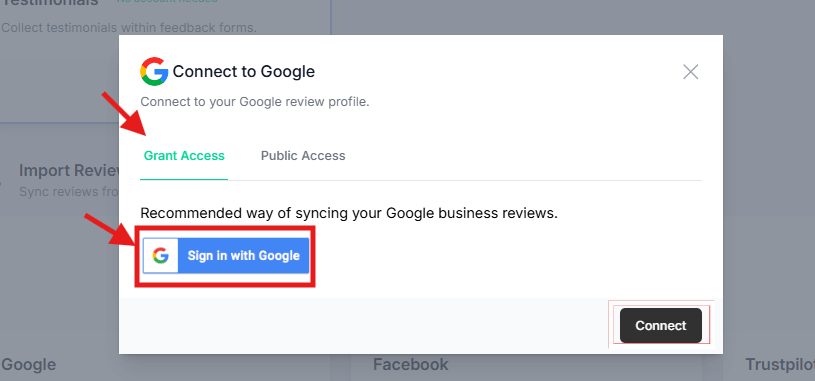
Now one popup will open here we have two option to connect GMB with our flexi reviews. So first we select ‘grant access’ option then click on sign in with google (make sure for this step your gmb account is already logged-in)
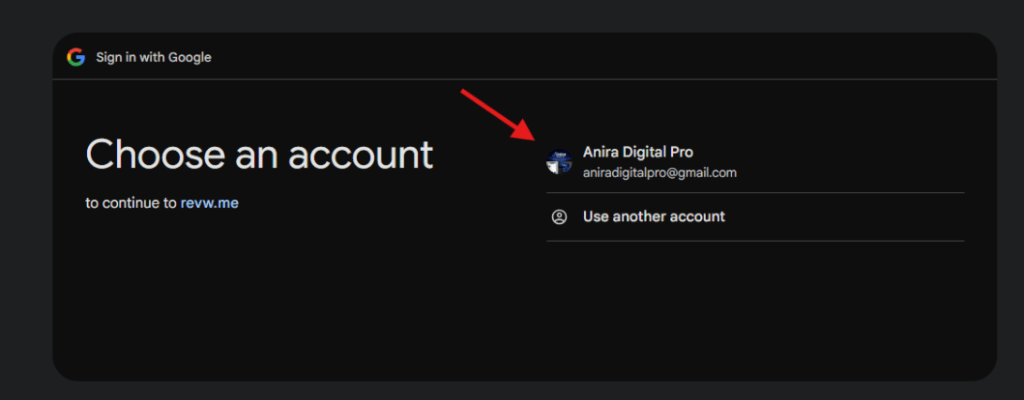
Now you will redirect to Gmail login popup here you can select your gmb gmail account
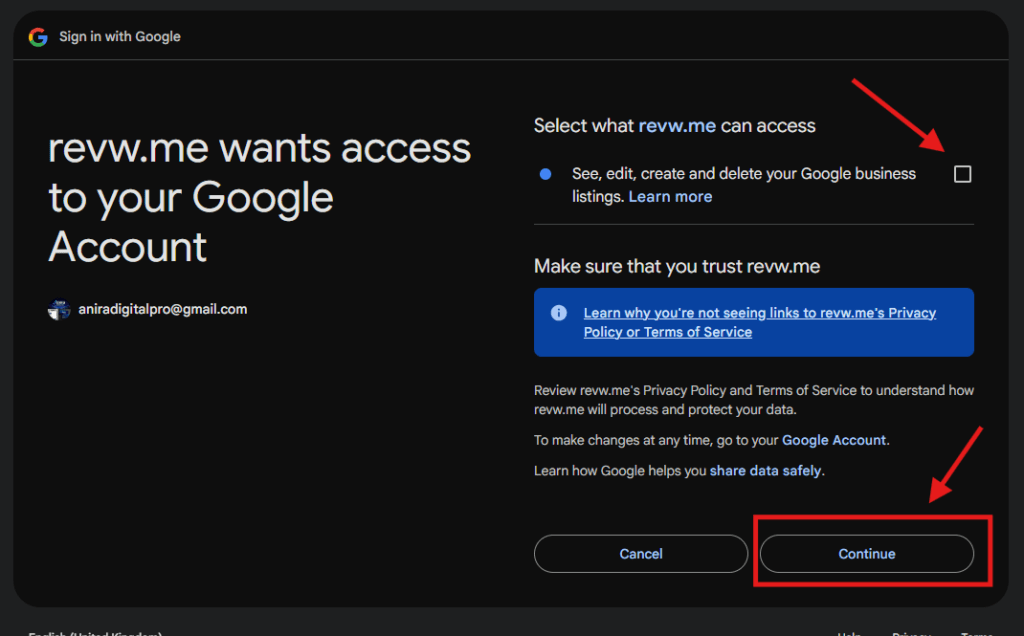
Then you will redirect to google next popup here you click on continue button
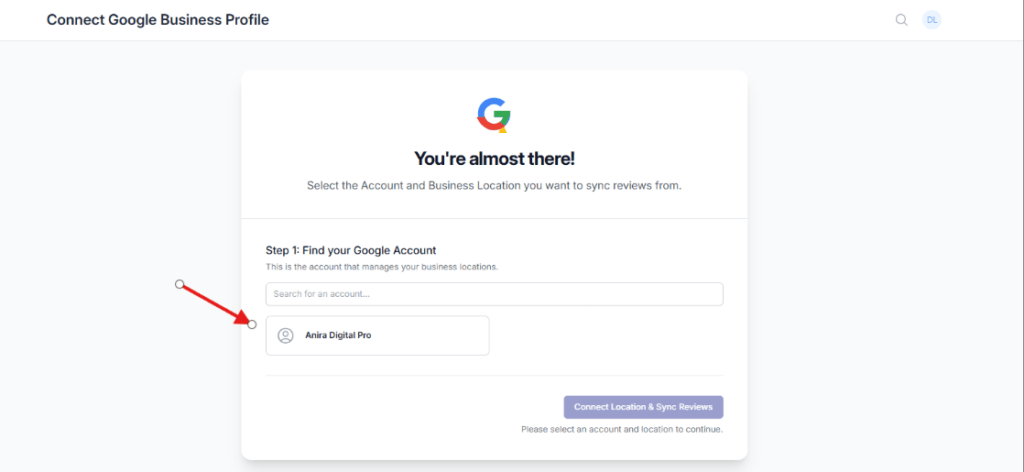
Then you will redirect to new flexi reviews popup here you see your account so select it.
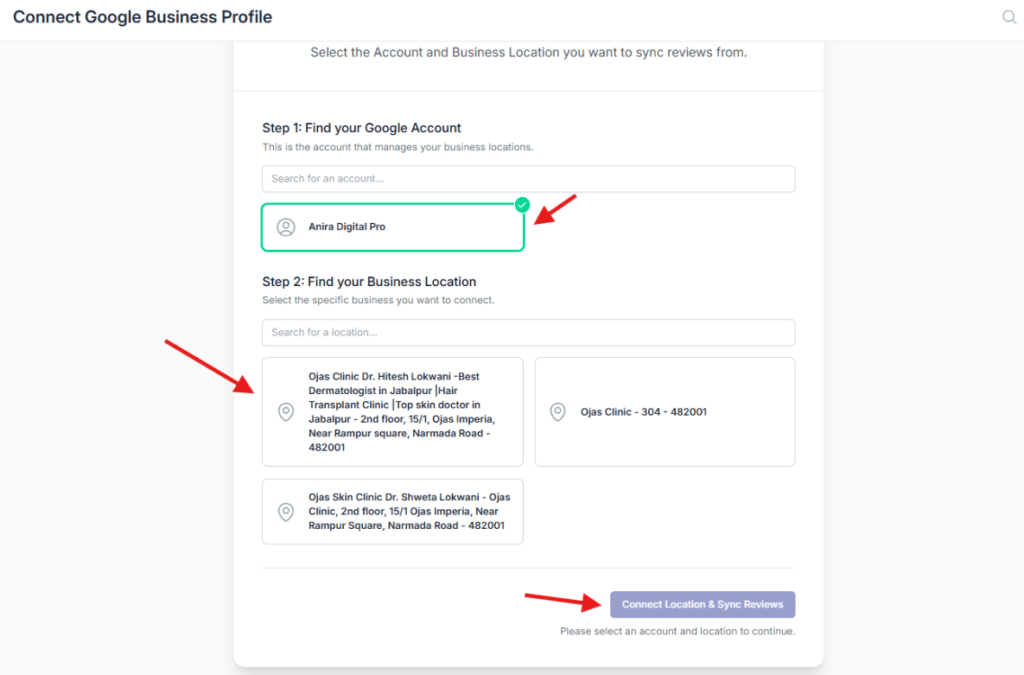
After selecting you account the step 2 will open here you can select your google my business account which you want to add on flexi reviews then click connect location button.
Your google my business is connect successfully you will redirect to review source page were you can see your google is connected.
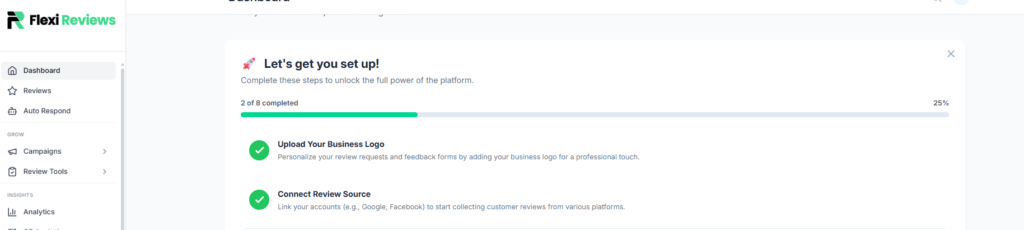
Now go back to Dashboard where you can see your 2 steps are done.